If you’ve got a 1998.5-2002 Dodge Ram truck with the 5.9L Cummins ISB 24-valve diesel, you might run into issues with the Accelerator Pedal Position Sensor (APPS). It’s a pretty common thing to go wrong. When the APPS fails, it can make your truck run poorly or even stop working completely, which is a huge pain if you rely on your truck for work. This guide is based on what I’ve learned fixing these things and from looking at the tech specs. I’ll explain what the APPS does, why it breaks, how to figure out if it’s the problem, and how to get it fixed right.
What the APPS Does and How It Works
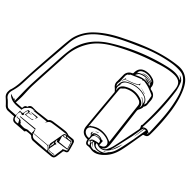
Think of the APPS as a fancy gas pedal sensor. It’s part of the system that controls your engine without a direct cable link. It sits on the engine and connects to the gas pedal with a cable. It sends a signal to the truck’s computer (the ECM) that tells it how far down you’re pressing the pedal. When you’re not pressing the pedal, the signal is around 0.5 volts. When you floor it, the signal goes up to 3.8–4.0 volts. The computer uses this signal to decide how much power the engine should make.
Why APPS Units Fail
APPS problems usually don’t happen all at once. They develop over time because of wear and tear, the environment, or mistakes when installing them, which can be mainly categorized as follows:
Normal Wear and Tear: Over time, the parts inside the sensor wear out, especially the contact point and the strip it rubs against. Engine vibration and high temperatures make this happen faster. This is the most common reason for failure in older trucks.
Dirt and Grime: Dust, oil, and moisture can get inside the sensor and mess with the connection between the moving part and the strip it touches. This can cause the signal to be wrong or stop working altogether.
Cheap Parts and Poor Installation: Those cheap sensors you see online (like the ones for around $30) usually aren’t very accurate and are made with low-quality stuff. This means they’ll probably fail again soon after you install them. Even if you use good parts, if you don’t set them up correctly when you install them, you’ll still have problems.
Issues with APPS: Warning Signals
APPS (Accelerator Pedal Position Sensor) failures generally degrade over time, with signs showing up step-by-step. They’re often mistaken for VP44 injection pump issues, so you’ve got to know what to look for, checking both the symptoms and the error codes.
How the Symptoms Show Up
Early Signs: The engine might idle rough, with the RPMs jumping around. You might see a delay in the throttle response. If you have a 47RE transmission, it might hesitate when shifting from 1st to 2nd gear, or the torque converter might lock and unlock often in 3rd and 4th gears. Usually, this is due to bad contact in the sensor.
Later Signs: Dead Pedal: This is a big sign that the APPS is about to fail. The engine idles okay, but when you press the gas pedal, nothing happens. The Check Engine light will come on. This happens because the connection inside the sensor is completely lost.
What Do the Error Codes Mean?
APPS failures often trigger these error codes: P0120 (Basic Circuit Fault), P0121 (Invalid Signal), P0122 (Low Voltage), P0123 (High Voltage), and sometimes P0124, P0125, P0222, P0223, P2121. You need to know if it’s really the APPS and not the VP44 injection pump because those have different codes: P0215, P0216, P1688, and P1689. Getting it wrong can cost you money on the wrong repairs.
How to Diagnose It Right
Besides reading the error codes, here’s what else you can do:
Check the Wires: Look for loose or corroded wires and connectors going to the APPS. Bad connections can act like a sensor failure.
Test the Voltage: With the key on but the engine off, use a multimeter to check the APPS output voltage. It should be steady at 0.5–0.6V at idle and 3.8–4.0V when the pedal is fully pressed. If the voltage jumps around or is too high or low, the sensor is probably bad.
Test Under Load: Sometimes, the problem only shows up when the engine is hot or under a load, like when you’re towing. Try a road test, or try to simulate the load to see if the problem appears.
Symptom / Condition
Typical APPS Voltage Range
DTC Codes
Likely Severity
Notes
Healthy idle
~0.5 V
None
Normal
Sensor functioning properly
Healthy WOT
3.8–4.0 V
None
Normal
Voltage rises smoothly with pedal
Early wear / intermittent
0.4–0.6 V idle, 3.5–4.0 V WOT, jumps
P0120, P0121
Medium
Slight surging, lag, or high idle
Advanced wear / dead pedal
Signal drops to 0 V intermittently
P0122, P0123
High
Engine idles but throttle unresponsive; may mimic VP44 failure
Faulty aftermarket / misaligned
Erratic signal, unstable range
P0120–P0124
High
Can appear immediately after installation, causes drivability issues
This table shows why just reading a trouble code isn’t enough. You need to watch the voltage while the car is actually being driven and know what symptoms go with it to figure out what’s really wrong.
Fixing APPS Problems: Quick Fixes to Full Repairs
How bad the problem is will decide what fix you pick. Start with the cheap, easy stuff first before you think about replacing anything.
Quick Fixes: Resetting and Ajusting Your APPS
Reinitializing your APPS: you have no need for specific software to do this. It’s good if you have signal problems or just a little adjusting to do. Here’s how: Unhook the battery, turn the key to the ON spot and wait 15 minutes. Then, turn the key off and reconnect the battery. Turn the key to ON again (but don’t start the engine). Slowly push the gas pedal all the way down and then let it up slowly. Turn the key off one last time. Now you can turn the key to ON and start the engine. The APPS should be reset.
Adjusting the APPS: You’ll need a multimeter and some basic tools like a 10mm wrench and a T-20 Torx wrench for this. Start by measuring the voltage when the engine is off, but the key is in the on position. Write down what you get. Then, turn off the ignition and take off the black plastic cover of the APPS. You’ll see six 10mm bolts holding the APPS bracket. Take those out (but don’t remove the cables). Next, carefully loosen the T-20 Torx screws on the APPS. Check the voltage reading against what’s on the APPS tag. If they’re different, adjust the APPS by turning it clockwise or counterclockwise until those voltages match up. Once they align, tighten the screws again and double-check.
Fixing Things: Cleaning or Swapping Parts
Cleaning the Connections (Only if You Have To): This is hard to do and you should only try it as a last step. But, spraying contact cleaner inside the sensor where it touches can sometimes get it working again. This is especially true if dirt or other stuff is messing up the connection. You don’t have to take the part off to do this (so you won’t have to reset it), but you will need to make a small hole to get the spray in. Just so you know, if you’re at this point, it’s probably best to just buy a new sensor.
Putting in a New Sensor: If your gas pedal isn’t working or is acting up, a new sensor is really the only way to fix it for good. Don’t buy those cheap sensors online. They don’t work as well with your car’s computer and can cause more issues. Get a good one from a place you trust. You really need to go with a high-quality OEM-spec replacement. Cheap sensors fail quickly, but heavy-duty sensors from trusted suppliers (like AmoParts) are built to handle the vibration and heat of the ISB engine. You can even reuse the old part, so you don’t have to buy a new one. It costs around $200, but a Cummins sensor from the factory can be over $400. Keep in mind: You’ll need to set up the new sensor like we talked about before. If you don’t, your car might not know when you’re idling or driving, and that will cause problems.
Quick Tips to Keep Your Cummins ISB 24-Valve Engine Running Strong
One of the most common things to go wrong in Cummins ISB 24-valve engines is the APPS(Accelerator Pedal Position Sensor). To keep your engine running and avoid constant repairs, it’s important to catch problems early, figure out what’s really wrong, and use good parts. If you get a good APPS replacement and set it up right, it should last at least 10 years. Anyone who knows these older 5.9L engines knows they can take a lot of work during that time. Check your sensor wires often, don’t buy cheapo parts, and if you notice a rough idle, slow throttle, or other issues, fix them fast. This will help you avoid the dead pedal problem and keep you safe and productive.
Common Questions About Your Cummins ISB 24-Valve APPS
Below are explanations for concerns typically posed about APPS issues to ensure performing properly. This should help you solve any issues you run into when you’re doing everyday repairs.
Q: How often should I check my Cummins ISB 24-valve APPS?
A: If your truck has over 100,000 miles on it, or if you use it for heavy towing, it’s a good idea to check the APPS voltage and wiring every six months. Doing this regularly can help you catch wear and tear early and keep you from getting stuck with a dead pedal.
Q: Can I use just any APPS instead of one made for my specific model?
A: Nope. Generic APPS units often don’t match the voltage that the Cummins ISB 24-valve engine’s computer (ECM) expects. This will cause ongoing issues with how your truck drives. You really need to go with original equipment manufacturer (OEM) parts or well-known aftermarket brands (like TIMBO) that are made for 1998.5-2002 5.9L Cummins engines.
Q: Why does my APPS keep failing soon after I replace it?
A: This usually happens because people use cheap parts, don’t calibrate the new APPS correctly, or don’t fix corroded wiring. Make sure you calibrate the new APPS exactly according to the instructions. Also, give the wiring a good look before you install anything.
Q: Is it okay to drive with APPS problems that come and go?
A: No way. If you’re having on-again, off-again issues, it means your APPS is wearing out. You could suddenly lose the pedal while you’re driving. This is super risky, especially if you’re towing something. Get it checked out right away and fix the problem.
Q: Can a bad APPS mess up other parts of my engine?
A: Yes, it can. A wonky APPS can send the wrong signals to the engine’s computer (ECM). This can cause it to adjust the fuel and ignition timing wrong. Over time, this can wear out the VP44 injection pump, torque converter, and other parts. Fixing your APPS when you first notice a problem can save your engine.
Kingsley
Hi, I’m Kingsley, the author of this post. Has over 10 years of experience in diesel engine parts identification, replacement-part matching, and heavy-equipment parts supply. We provide reliable, high-quality components for construction, mining, agriculture, and heavy equipment applications. If you need durable excavator parts or a free quote, feel free to contact us.
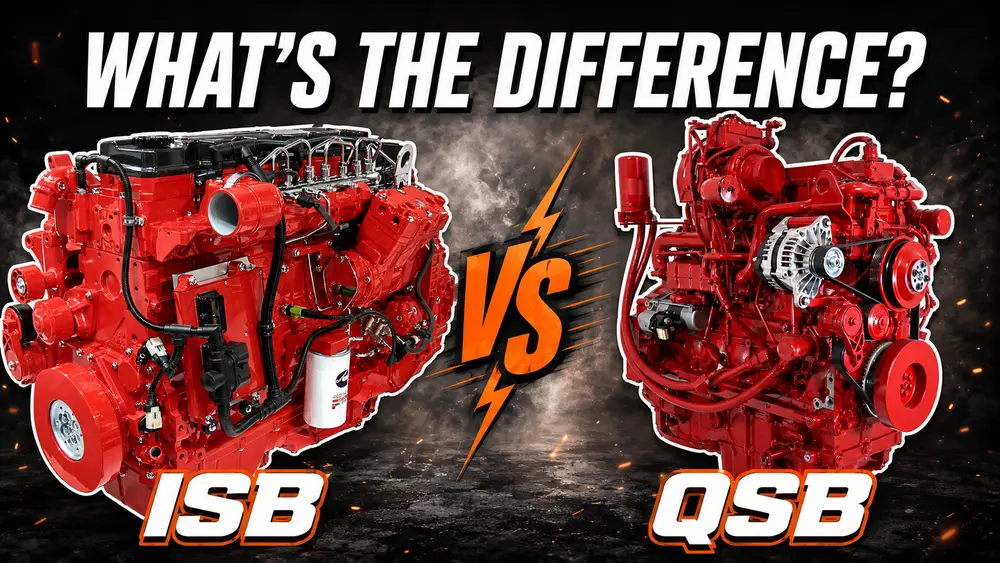
ISB and QSB are related Cummins B-Series engine families, but the name alone does not make their parts interchangeable. ISB is commonly associated with on-highway and vocational vehicle applications, ...
Diagnose Cummins 4BT overheating by pattern. Check the gauge, coolant level, airflow, belt, hoses and cap before testing the thermostat, pump or head gasket.
Diesel engine parts are easier to understand when you stop looking at the engine as one complicated machine and start looking at it as a group of working systems. Air goes in, fuel is injected, compre...
Finding a reliable 4BT diesel engine can feel simple at first. A quick search brings up used engines, rebuilt long blocks, take-out motors, swap packages, and complete running engines. The hard part i...
Compare the Cummins 4BT and 6BT for engine swaps, including size, weight, power potential, fuel economy, towing ability, parts availability, and swap cost factors.